
 Vipin PG
Facebook doesn’t give you a single button that wipes your entire post history in one click. But the Activity Log does let you select and delete several posts in one batch instead of opening each one individually. Here’s exactly how to do it.
Step 1: Open Your Activity Log
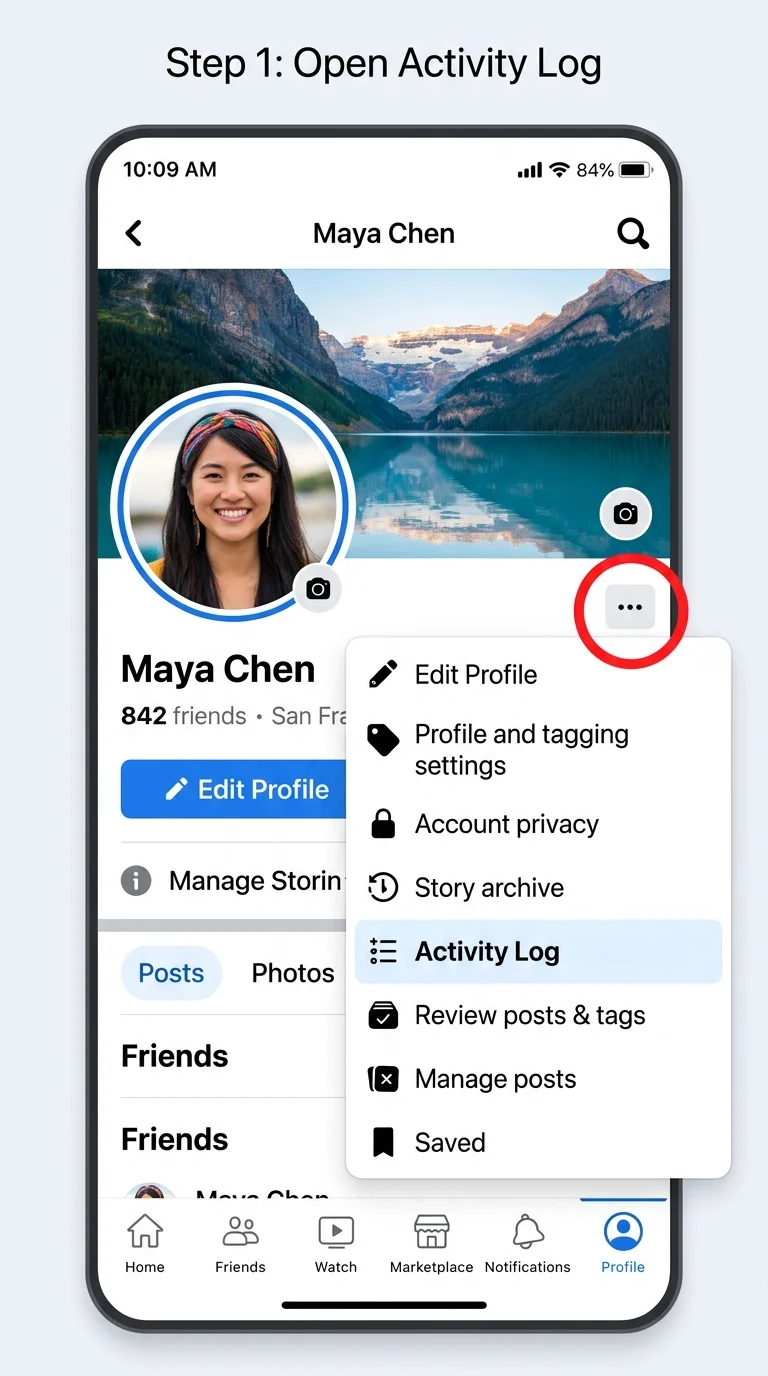
Go to your Facebook profile and click the three-dot menu (usually found below your cover photo, next to “Edit Profile”). From the menu, select “Activity Log.” On mobile, this same option is under your profile’s settings icon.
Step 2: Tap “Manage Activity”
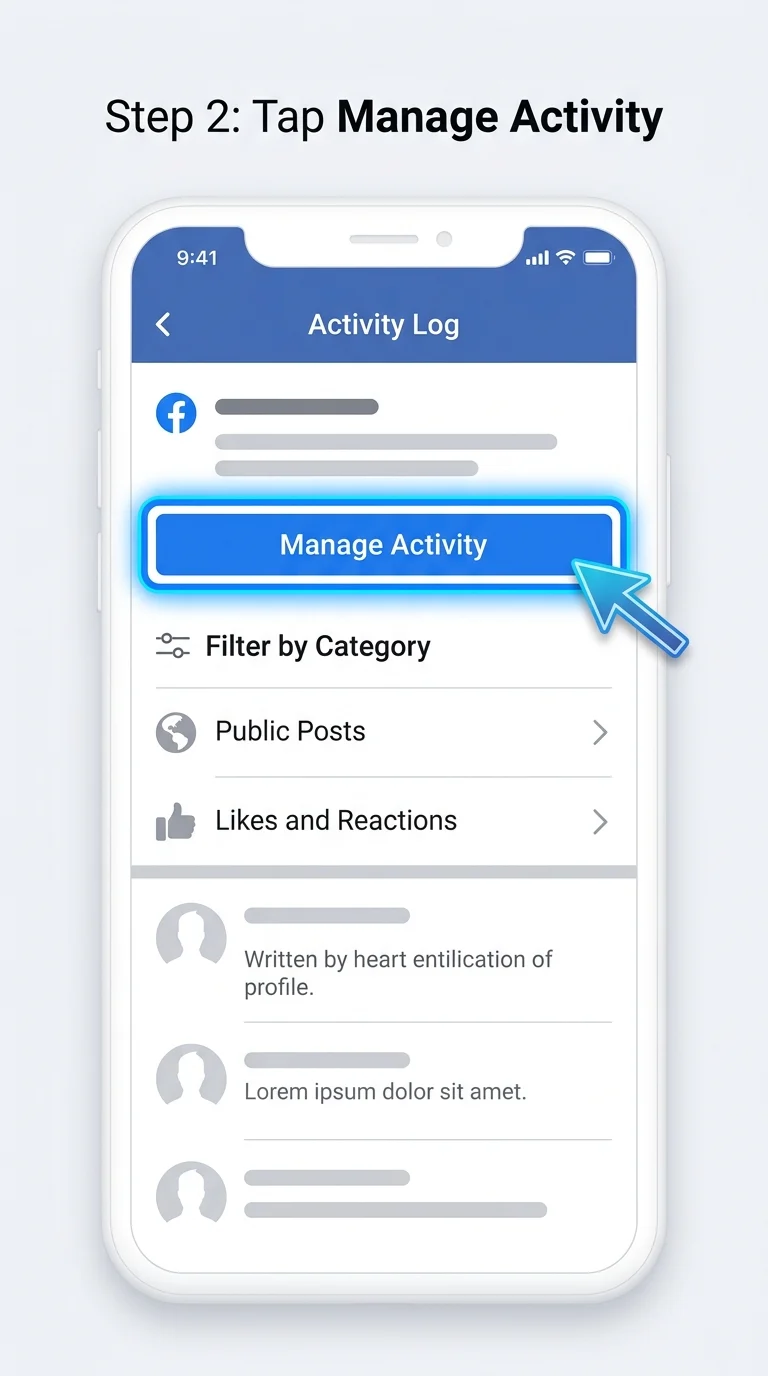
Inside the Activity Log, you’ll see a “Manage Activity” option near the top of the page. This is the section built specifically for bulk actions, separate from the general activity timeline.
Step 3: Select “Your Posts”
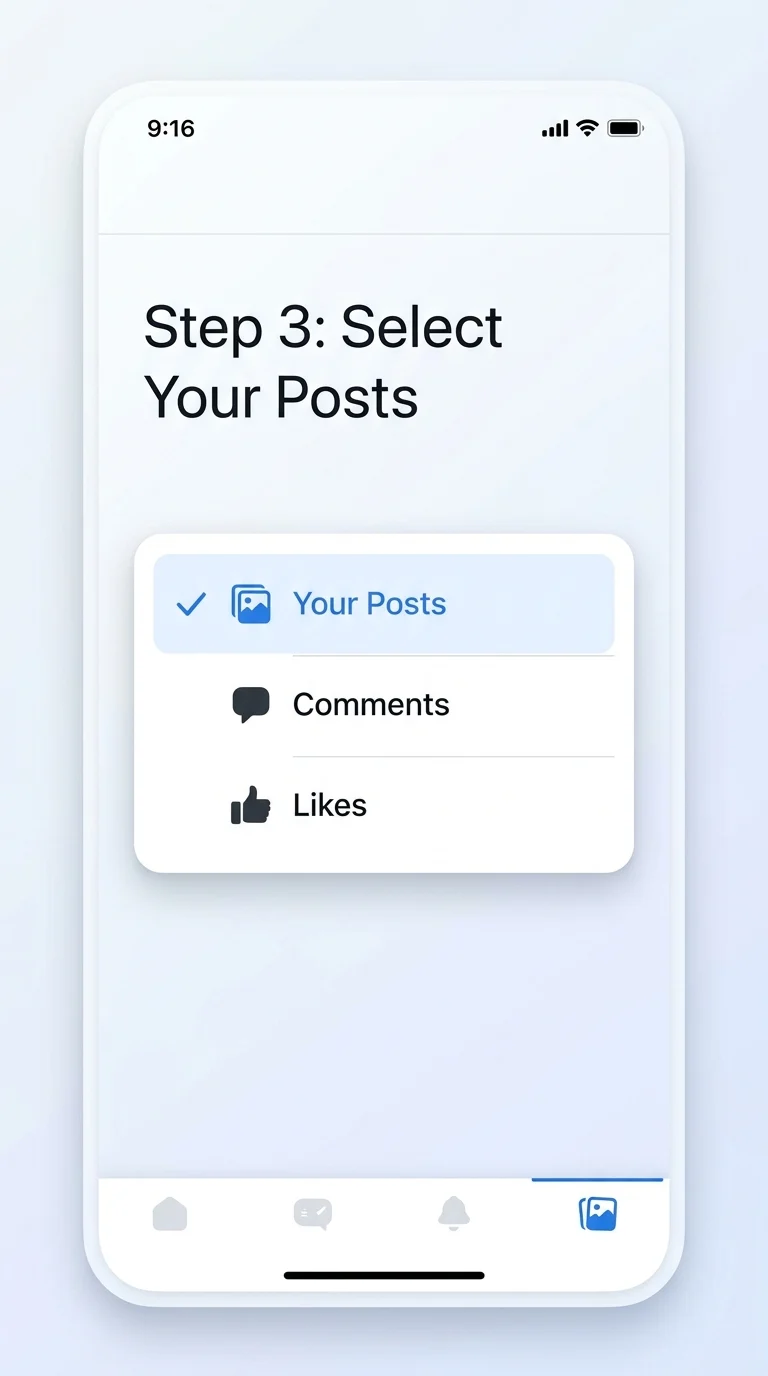
Once inside Manage Activity, a small popup or dropdown will ask what type of content you want to manage. Choose “Your Posts” so you’re only viewing posts you’ve created, not comments, likes, or photos others tagged you in.
Step 4: Filter by Year and Audience
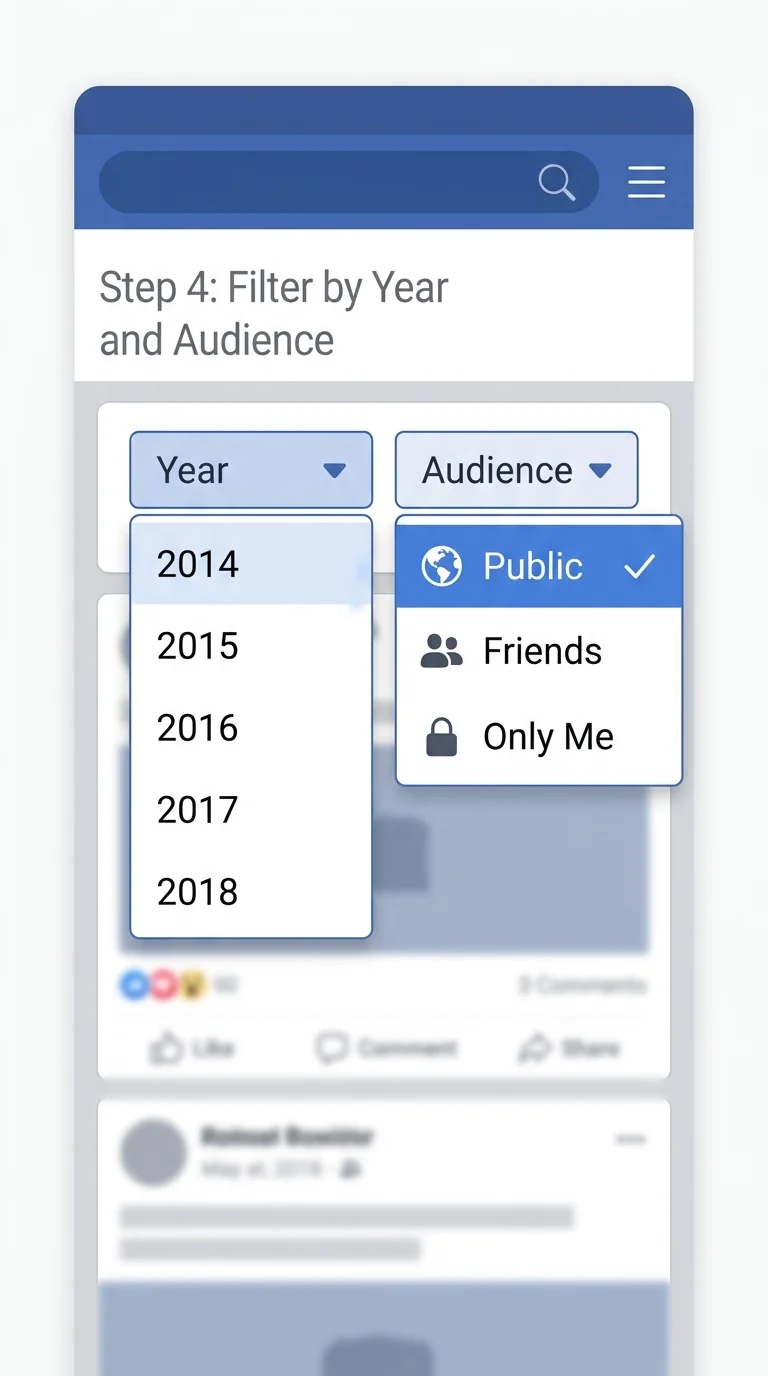
Use the filter options at the top of the screen to narrow your view. Picking a specific year (start with your oldest year on Facebook) makes the list manageable. You can also filter by audience, like “Public,” if your goal is removing posts that strangers can see.
Step 5: Select the Posts You Want to Remove
Each post in the filtered list will show a checkbox. Tap the boxes next to every post you want to delete. Facebook lets you select several posts in one go, so you can build a batch before taking action instead of deleting one at a time.

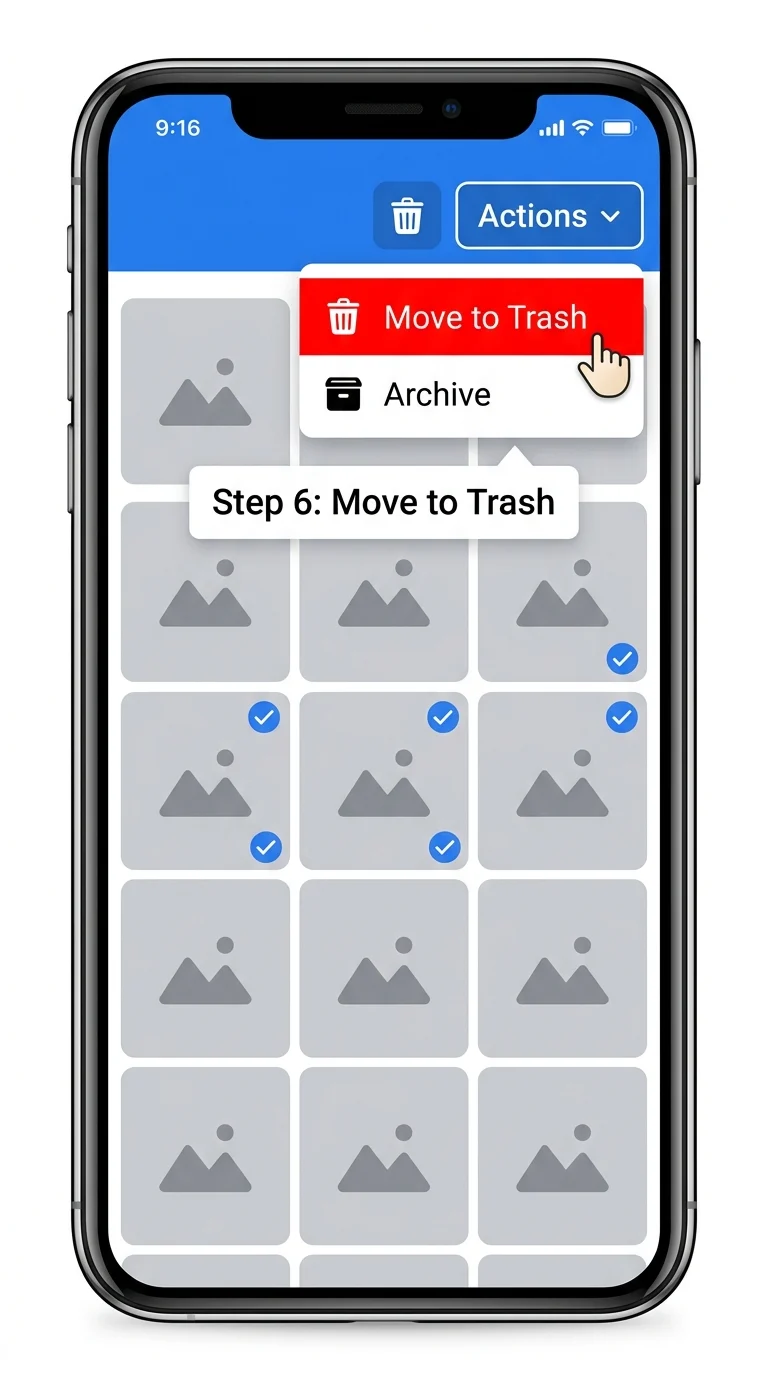
Step 6: Choose “Move to Trash”
With your posts selected, tap the actions icon (usually a trash can or three-dot menu) at the top of the screen. Choose “Move to Trash” to delete the selected posts, or “Archive” if you’d rather just hide them from your profile without deleting them.
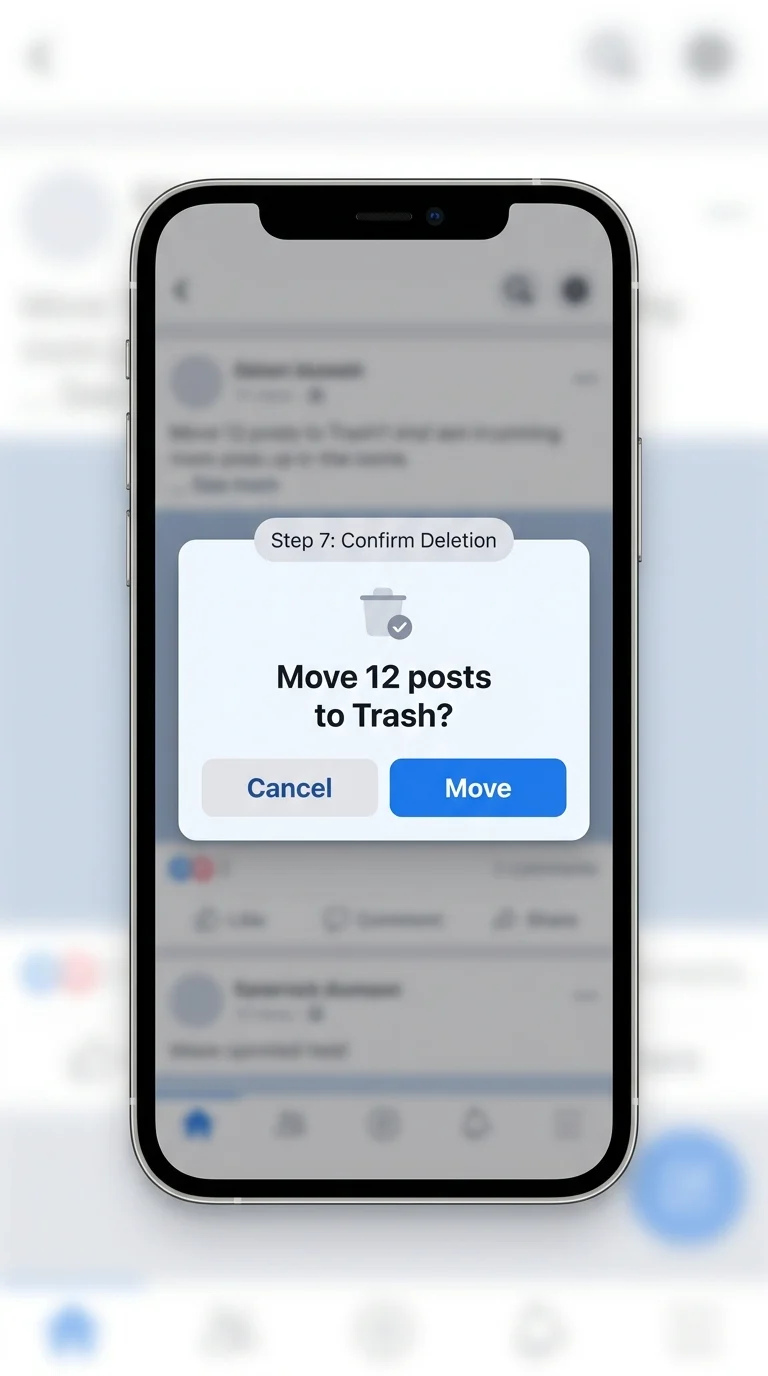
Step 7: Confirm the Deletion
Facebook will show a confirmation popup before finalizing the action. Tap “Move” or “Confirm” to send the selected posts to the Trash.
Step 8: Repeat for Other Years
Go back to your filters and switch to the next year or audience setting, then repeat steps 5 through 7. Working through your history year by year is the most efficient way to clear out old posts in batches.

A Quick Note on the Trash Period
Posts you delete this way don’t vanish immediately. Facebook holds them in Trash for 30 days, giving you a window to restore anything you deleted by mistake. After 30 days, they’re permanently removed.

Conclusion
The Activity Log’s Manage Activity tool is the most reliable way to delete multiple Facebook posts at once without Facebook’s official apps. By filtering year by year and selecting posts in batches, you can clear out years of old content far faster than deleting posts one by one, and the 30-day Trash window means you’re not stuck if you change your mind.