
 Vipin PG
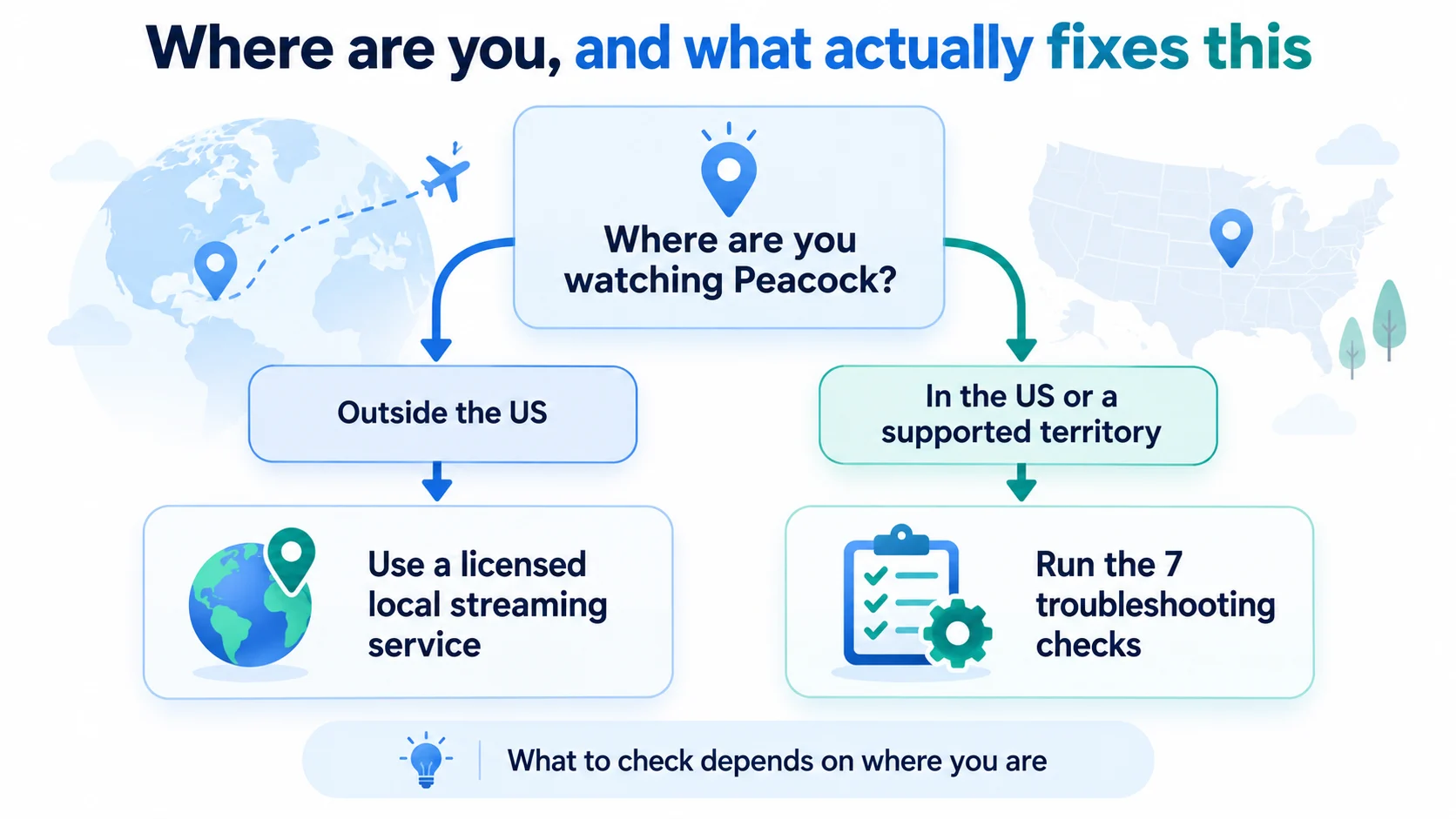
Peacock shows that message when it cannot confirm your device is in the United States. Inside the US, the usual causes are a location permission that is switched off or a network that looks foreign, and both can be fixed. Outside the US there is no supported fix, because the block is the licensing rule that lets Peacock carry these programs at all.
Peacock streams in the US and five US territories. Most of what puzzles people about this error follows from that one rule, including why a phone can fail while a laptop on the same home connection keeps working.
What the roaming rules message means
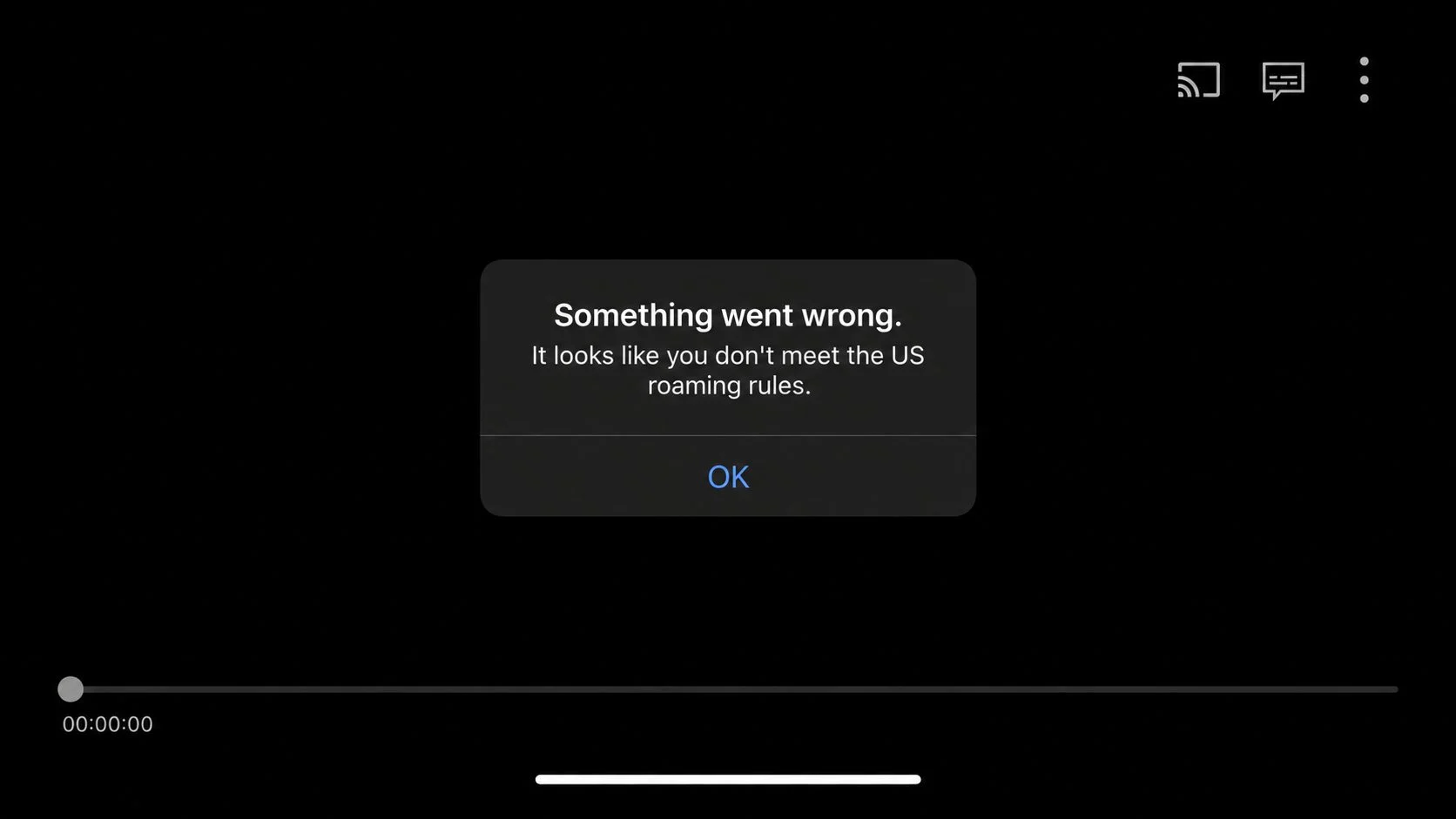
The wording mentions roaming, so many people check their mobile plan first. The message has nothing to do with roaming charges. Peacock checks where your connection appears to come from and stops playback when it cannot place you inside the United States.
Peacock describes that check in its own help pages. The local NBC channel you receive depends on “the geolocation (based on your internet provider) of your streaming device”, and it changes when that geolocation changes. Availability runs on the same principle: the address your traffic arrives from decides what you can play.
| Message you see | What it means |
|---|---|
| It looks like you don’t meet the US roaming rules | Peacock could not confirm a US connection for this session. This is the wording most people are searching for. |
| This service is unavailable in your region | The same check, phrased for a location that is not supported at all. Sometimes written as “unavailable in your location”. |
| Your device must physically be located in the US to stream | The plainest version of the rule, usually seen in the web player. |
| Accessing Peacock through a VPN is restricted (OVP_00013) | The address you connected from is classified as a VPN, proxy, or datacenter address. |
Where Peacock works
The supported list is short and specific:
- United States
- American Samoa
- Guam
- Northern Mariana Islands
- Puerto Rico
- U.S. Virgin Islands
Peacock states this on its availability help page. If you are in one of those territories and playback is still blocked, the location check is the likely problem, so the steps further down apply to you too.
Why the error appears outside the US
Peacock holds streaming rights for the United States. Programs and live sport are licensed market by market, so a league can sit on Peacock in America and with a different broadcaster somewhere else. Some NBC programming and the US-only originals have no licensed home outside the US at all.
Traveling within Europe does not unlock it. The EU portability regulation of 2017 (Regulation 2017/1128) requires a paid service to keep working when a subscriber travels temporarily to another EU country, and it applies only to services that are legally available in the subscriber’s own country. Peacock is not sold in the EU, so there is no subscription to carry across a border.
For the UK and Ireland the position changed in 2024. The Peacock app closed on 9 January 2024, and Sky removed it from Sky Glass, Sky Stream, and Sky Q. The catalogue was split between Sky’s own channels and NOW, with reality titles moving to Hayu. Pages written before that date still describe Peacock as part of a Sky subscription, which is why expectations are often two years out of step.
| Where you are | Where those shows are licensed now |
|---|---|
| United States and the five territories listed above | Peacock |
| UK and Ireland | Sky channels and NOW, with reality titles on Hayu. There is no Peacock app and no UK sign-up. |
| Anywhere else | Whichever local service holds the rights to the title you want. Live sport sits with a local broadcaster almost every time. |
If you are in the US and the message is wrong
This is the case worth working through. Peacock is failing one of its location checks. It has not rejected your account or your subscription.
1. Allow location access for Peacock
Peacock’s help pages note that precise geolocation permissions for its mobile apps sit in your device settings. On iPhone, open Settings, then Privacy & Security, then Location Services, then Peacock, and set it to While Using. On Android, open Settings, then Apps, then Peacock, then Permissions, then Location. Force-close the app and open it again afterwards.
2. Switch off anything that changes your apparent address
A VPN app, a browser VPN extension, Smart DNS, iCloud Private Relay, the VPN bundled with some antivirus suites, and a work or school VPN all replace the address your traffic arrives from. Turn them off, confirm Peacock plays, then decide whether that device needs them. Browser extensions cause a confusing half state, where the browser fails while every other app on the same device keeps working. Our guide to VPN apps and browser extensions covers the difference.
3. Compare Wi-Fi with cellular
If playback fails on cellular data, try Wi-Fi, then try the reverse. Inside the US both should pass, so a difference between them points at the network instead of the app. Mobile connections are where this message turns up most often in user reports. Carrier-grade NAT, a route through a data center, or a recent router or ISP change can leave your address mapped to the wrong place, and power-cycling the modem and router usually refreshes it.
4. Restart the chain
Force-close Peacock, restart the phone, TV, or streaming stick, and on home broadband reboot the router as well. Sign in again afterwards. This clears stale session state and gives you a new network session.
5. Update the app and the device software
Older builds fail in ways that look like location errors. Update the Peacock app and the device operating system, then test again.
6. Check the account country and the device region
A missing app is a different symptom of the same rule. If your Apple or Google account is set to a country where Peacock is not distributed, the store will not offer it. Apple’s guide to changing your account country lists the requirements. On a smart TV or streaming device, check the country or region setting in the device menu as well.
7. Contact Peacock with the details they need
Include the exact message, your device and software version, whether you were on Wi-Fi or cellular, your internet provider, the time it happened, and a screenshot. Peacock’s help center is the right route, and a report with those details is easier for support to act on.
Why the SIM card explanation keeps circulating
The most repeated explanation for this error is that Peacock reads the country from your SIM card. That story has been passed around for years and it no longer describes how phones work. Apple deprecated the carrier API apps used to read those details (CTCarrier) in iOS 16 with no replacement, and Apple’s iOS 16.4 release notes state that the API returns static values for apps built with that software development kit. Developers report the carrier name coming back as “–” and the mobile country code as 65535, values that carry no real network information. On Android, reading the SIM operator requires a sensitive permission that a streaming app has little reason to request.
Peacock does not publish what triggers this particular message, so anyone offering a confident mechanism is guessing. Reports agree on where it happens: on mobile connections, more often than on Wi-Fi. The cause itself is not documented.
Checks by device
| Device | What to check first |
|---|---|
| iPhone or Android phone | Location permission for Peacock, then a Wi-Fi against cellular comparison |
| Samsung or LG smart TV | The TV’s country or region setting, then an app update, then the router |
| Fire TV, Roku, Apple TV, Google TV | Device region, app update, and any DNS or filtering set at router level |
| Xbox or PlayStation | Console region setting, then the app update |
| Computer browser | VPN extension or privacy relay, then cookies and a fresh sign-in |
Errors that look like this one
Three failures get mixed up with the roaming message. OVP_00013 means the address you connected from is flagged as a VPN or a proxy, so step 2 above is where to start. Peacock error code 21 is a separate playback problem with its own causes, covered in our Peacock error code 21 guide. Generic messages such as “sorry, there’s been a problem” or “something went wrong” usually point at the app or the connection instead of your location.
If you are outside the US
There is no supported way to make Peacock’s US service work from another country. The block exists because that is how the rights are sold, and Peacock refuses playback when the address looks like a proxy or a data center, so a method that appears to work can stop without warning. Reaching the US catalogue from outside the US also conflicts with Peacock’s terms of use.
What helps is finding the service licensed where you are: Sky channels, NOW, and Hayu in the UK and Ireland, or whichever local provider holds the title you want. If you subscribed to Peacock for a trip you cannot use, our cancellation guide covers the steps. If you are traveling from the US, plan on losing access while you are away. Peacock support cannot switch that territory rule off for one account.
Frequently asked questions
What does “it looks like you don’t meet the US roaming rules” mean?
Peacock could not confirm that your device was connecting from inside the United States for that session, so it stopped playback. It is a location check. Your account and your subscription are not the problem.
Why do I get this message when I am inside the US?
The two common causes are a location permission that is switched off for the app, and a connection that looks foreign to Peacock. Location access, any VPN or proxy layer, and the network you are on are the first things to work through.
Does Peacock work in Puerto Rico, Guam, or the US Virgin Islands?
Yes. Peacock lists American Samoa, Guam, the Northern Mariana Islands, Puerto Rico, and the U.S. Virgin Islands alongside the United States as supported locations. If playback is blocked there, treat it as a location check failure and follow the steps above.
Can I use my Peacock account while traveling abroad?
No. Playback is refused outside the supported territory, and the account waits for you to come back instead of streaming while you are away. If you are outside the US and want something to watch, use a service licensed for the country you are in.
Will a VPN or Smart DNS fix the roaming rules error?
They change the address Peacock sees, which is why people try them. Peacock refuses playback from addresses it classifies as VPN, proxy, or datacenter, so results vary from server to server and can stop working without notice. It is not a supported fix, and it conflicts with the licensing behind the block.
Why does the error appear on cellular data but not on Wi-Fi?
Mobile connections are where users report this message most often, and the difference between a carrier route and a home connection is the likely reason. Peacock does not document the trigger, so switching between Wi-Fi and cellular is a useful diagnostic, not a proven cause.
Does Peacock still exist in the UK?
Not as a standalone app. Peacock’s UK and Ireland service closed on 9 January 2024, and its shows were spread across Sky channels, NOW, and Hayu. There is no UK sign-up page.
Is this the same as Peacock error code 21?
No. Error code 21 is a separate playback failure, covered in our Peacock error code 21 guide.
Last checked: October 2026.